Technical knowledge and ability in the use of learning technology
In my roles as learning technology designer, course facilitator and digital consultant I have knowledge of and use a wide range of technologies. In this section I will provide evidence of the main tools and platforms I have used over the last two years. For cross-cutting evidence, please also see the NOCN AET case study in section 1a and commentary on digital tool use in The Advanced Area element.
The Microsoft Office suite
As well as being a daily user of the Microsoft Office suite for business and communication tasks, in my role as an associate for HWGTA I have designed and facilitated introductory courses in Microsoft Excel, Microsoft Word, Microsoft PowerPoint, Microsoft Outlook (with time management principles) and Microsoft Access as well as Intermediate and Advanced courses in Word and Excel.
This is requires live demonstrations of the operation of these tools and creation of the accompanying workbooks used to facilitate the sessions and provided as an aide memoir reference work to delegates attending them. Sessions are structured around ubiquitous workplace documents such as sales spreadsheets allowing delegates to gain an authentic experience of their use in business and educational contexts.
The courses I facilitate are mostly open to the public but on occasions large organisations such as NHS trusts or manufacturers book bespoke sessions. You can see the current course offer that I am facilitating here on the HWGTA website.
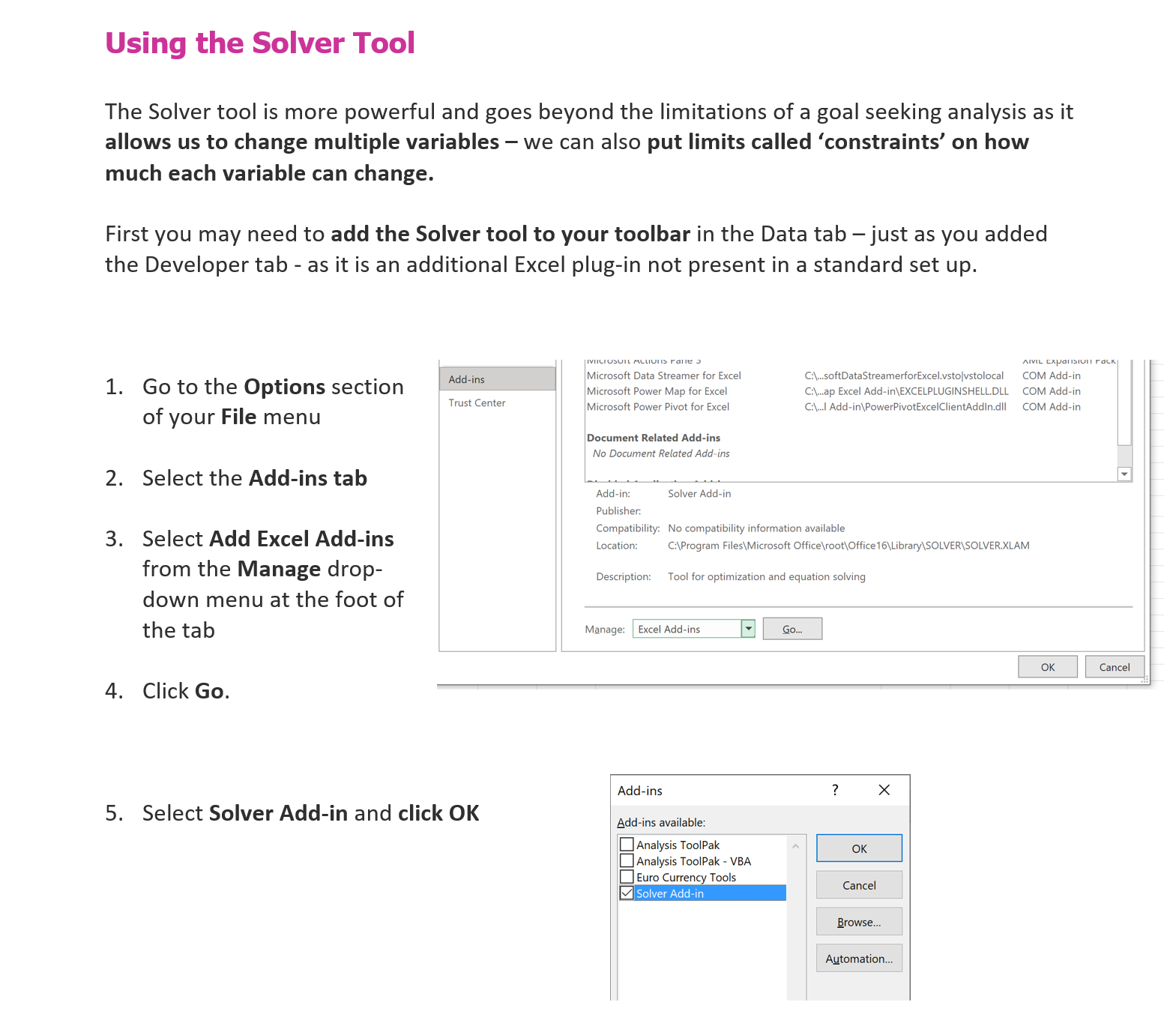
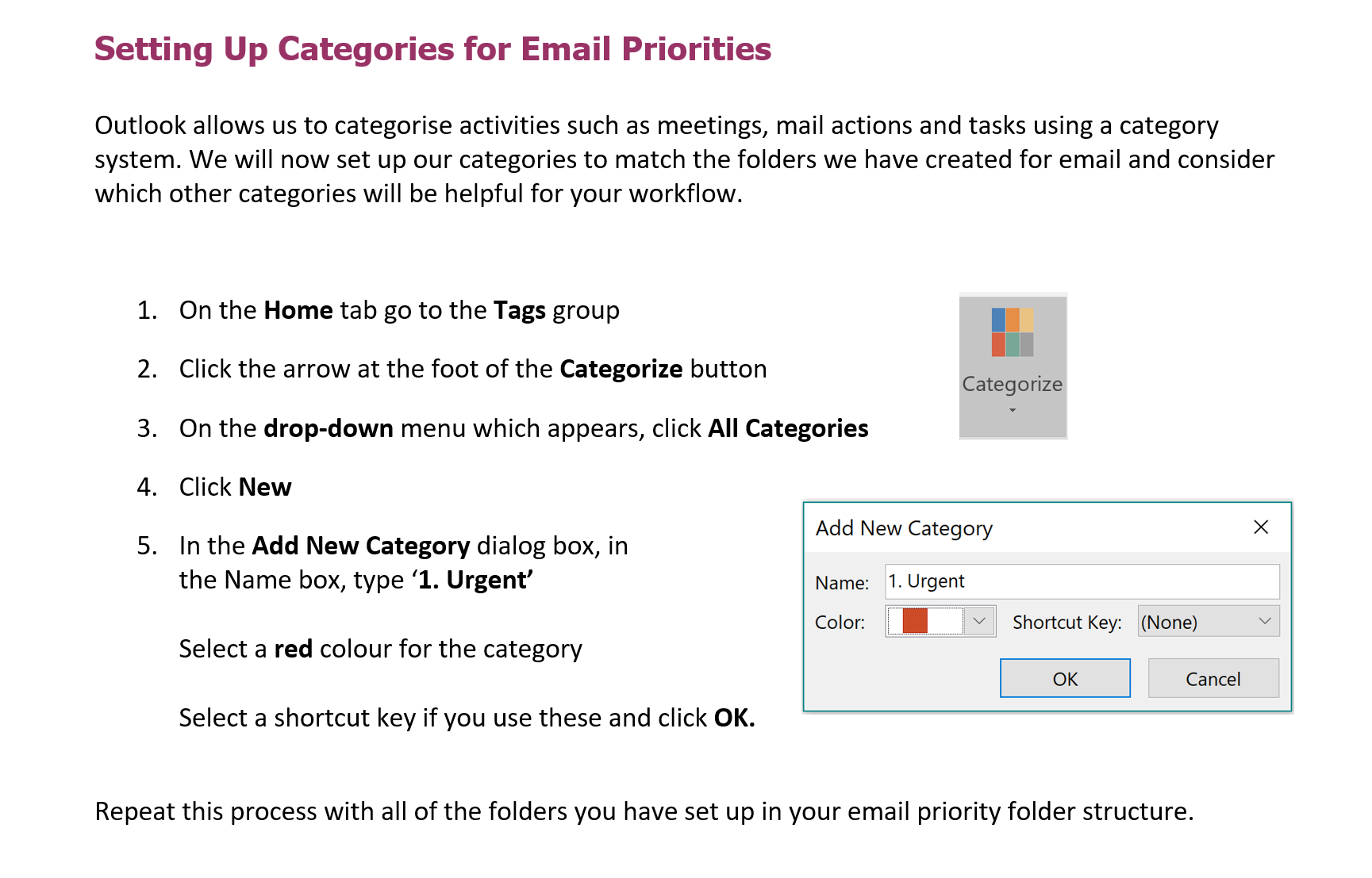
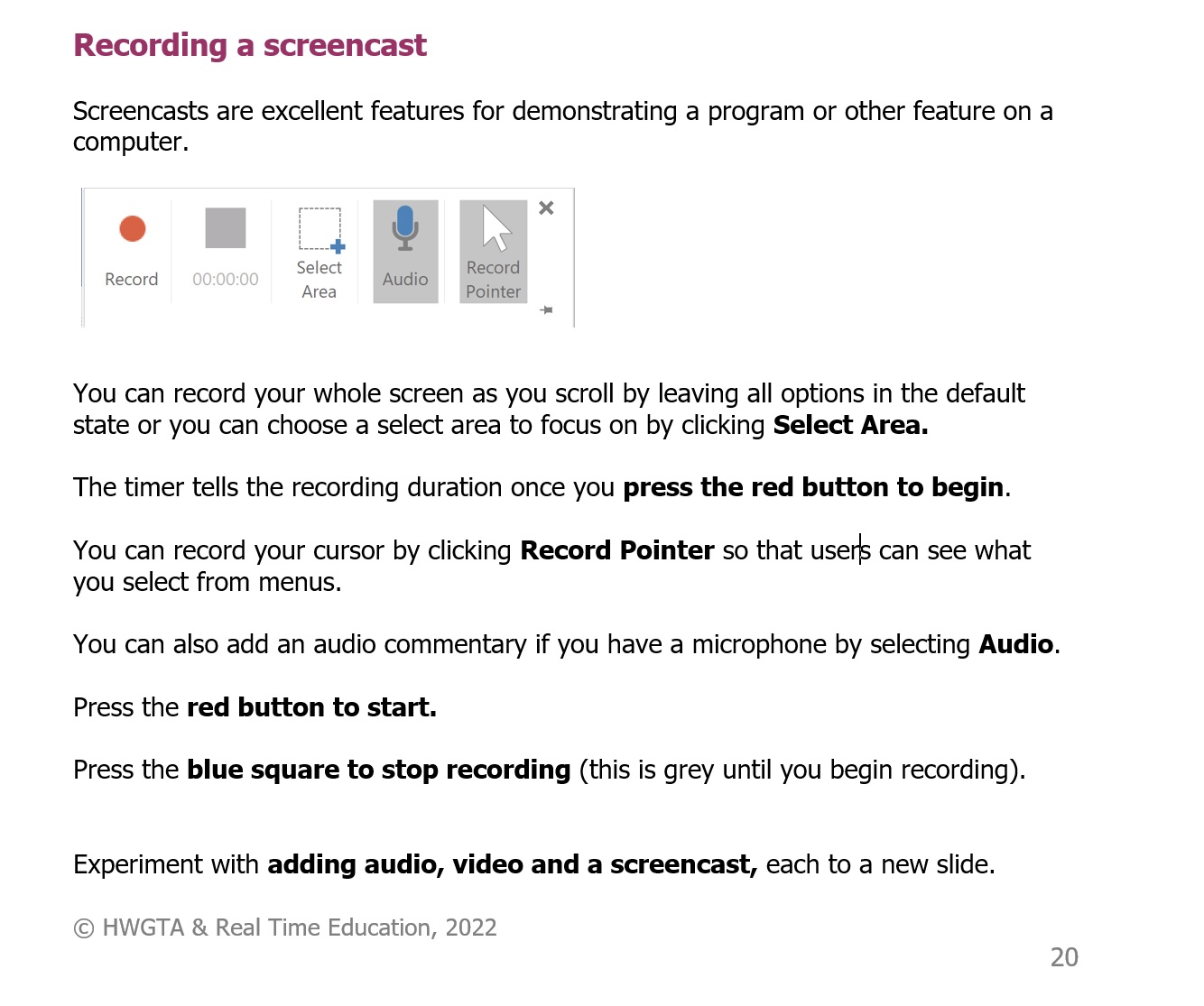
The images below from the Advanced Excel, Outlook and PowerPoint sessions give a flavour of the course materials and style of the learning facilitation:
Learning Platforms
I have extensive experience of the use of Moodle, Blackboard Collaborate, Edmodo, and Learndash. In my two most recent projects I have worked extensively as a learning designer and facilitator using the FutureLearn and LearnDash platforms, teamed with Slack-based dialogue and sharing spaces. I used these platforms when designing and building two extensive teacher training courses for ETF, one for action researchers and one for Advanced Practitioners (APs) working in FE. I also leveraged Google Sheets, Slides and Docs, OneDrive and Box when team working. During the design, creation and learning facilitation processes, I also leveraged the collaborative working tools Slack, Google Sheets, Slides and Docs, OneDrive and Box when team working.
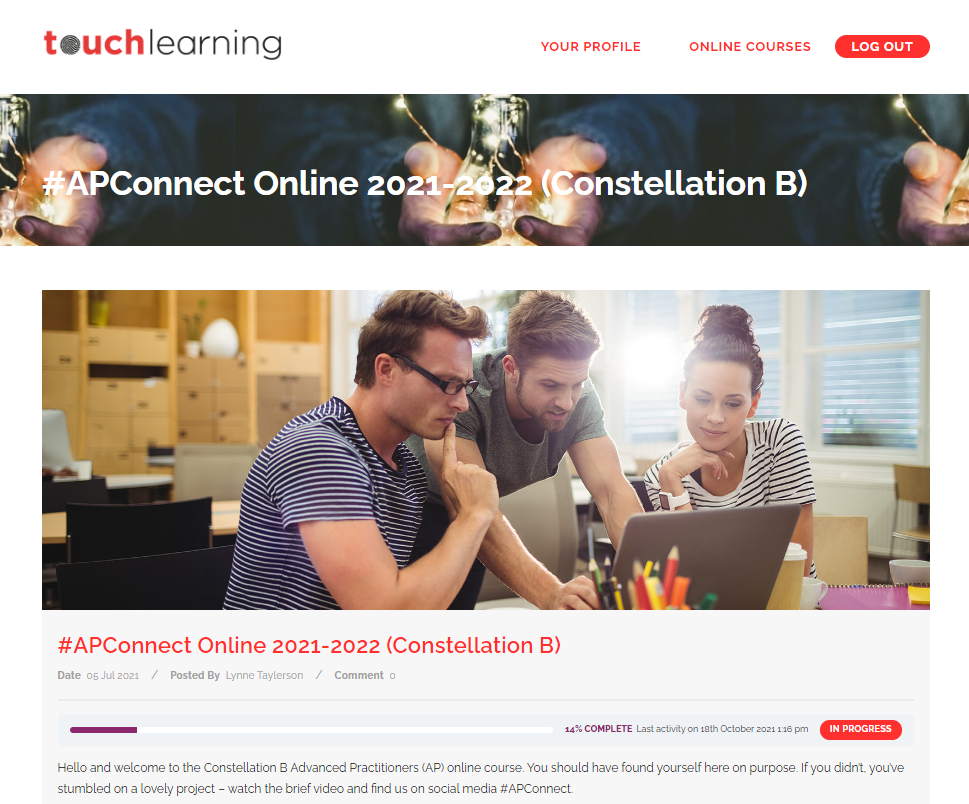
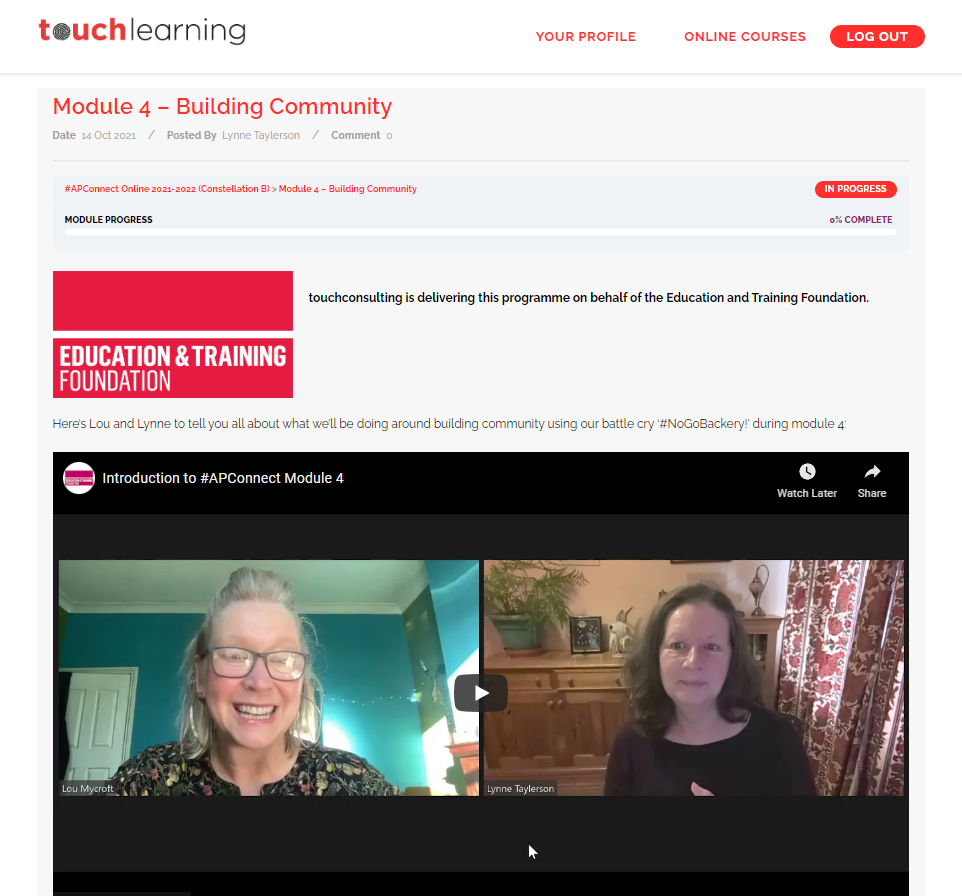
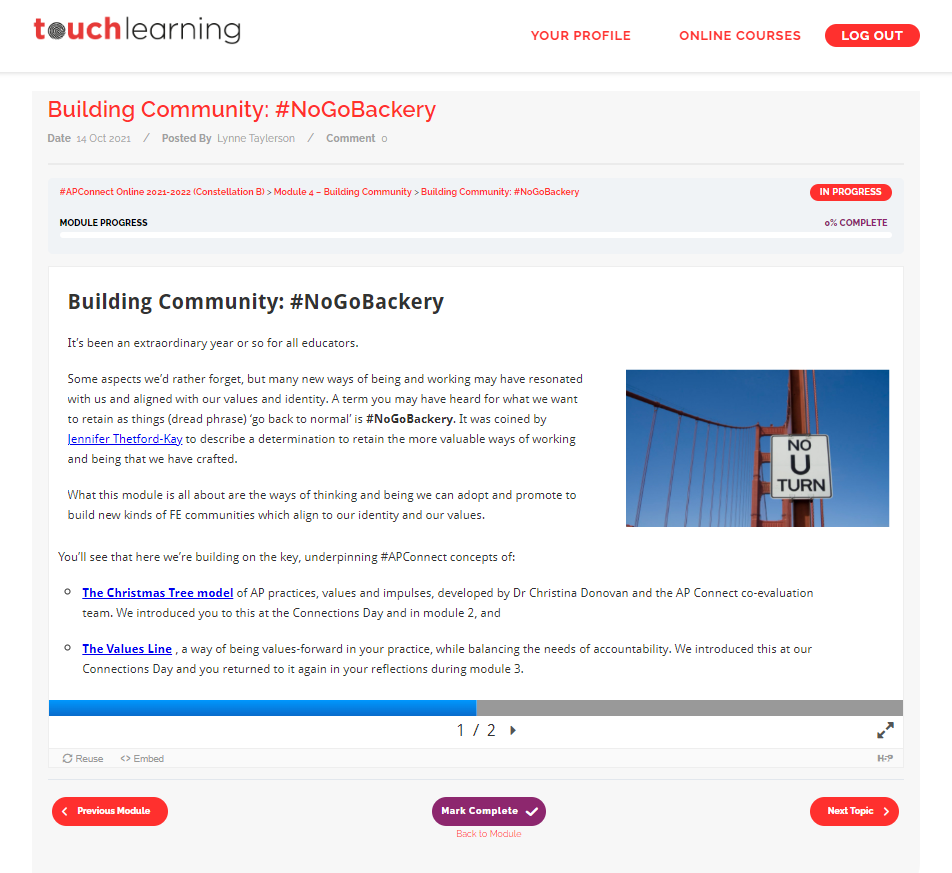
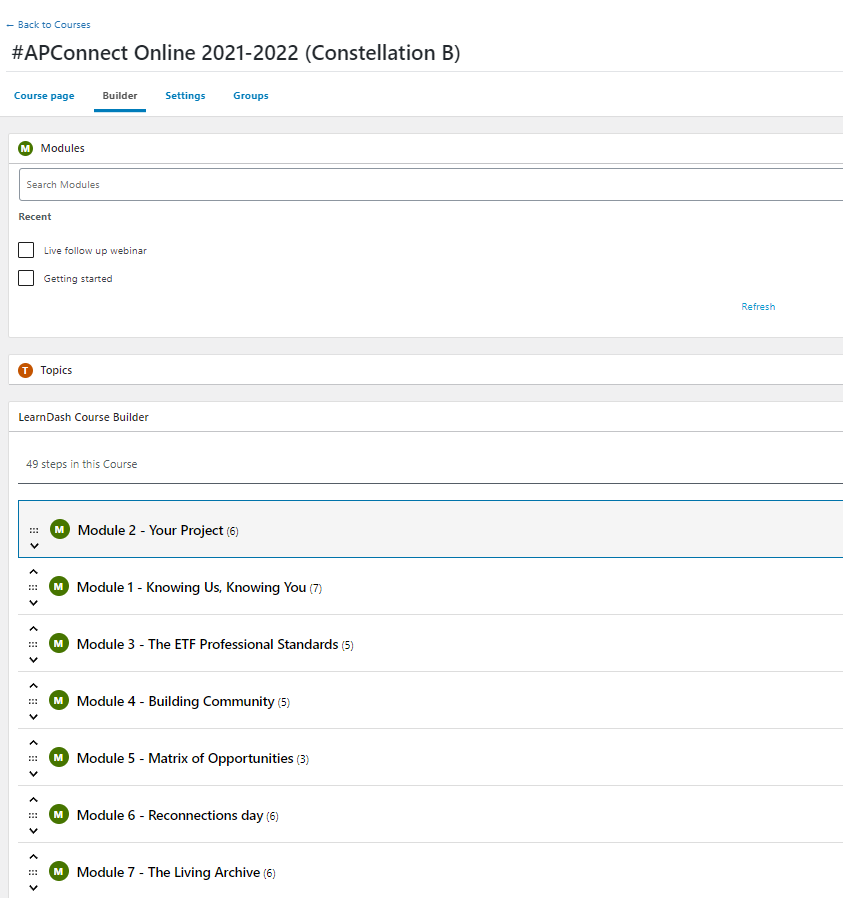
My work with LearnDash was for the DfE/ETF programme #APConnect, designing and coding seven monthly modules which introduced new APs to the learning theories, models and practical strategies that can be used for supporting FE teachers in that development. This involved writing and coding the text content, recording, editing and uploading of the video facilitation segments and use of the LMS capabilities of the platform to report back to the project director on learner progress and engagement.
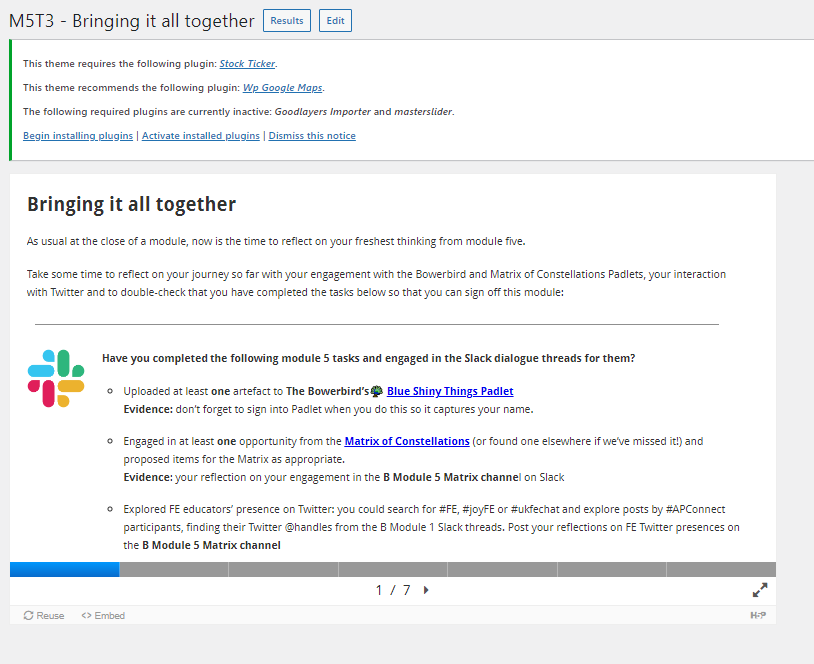
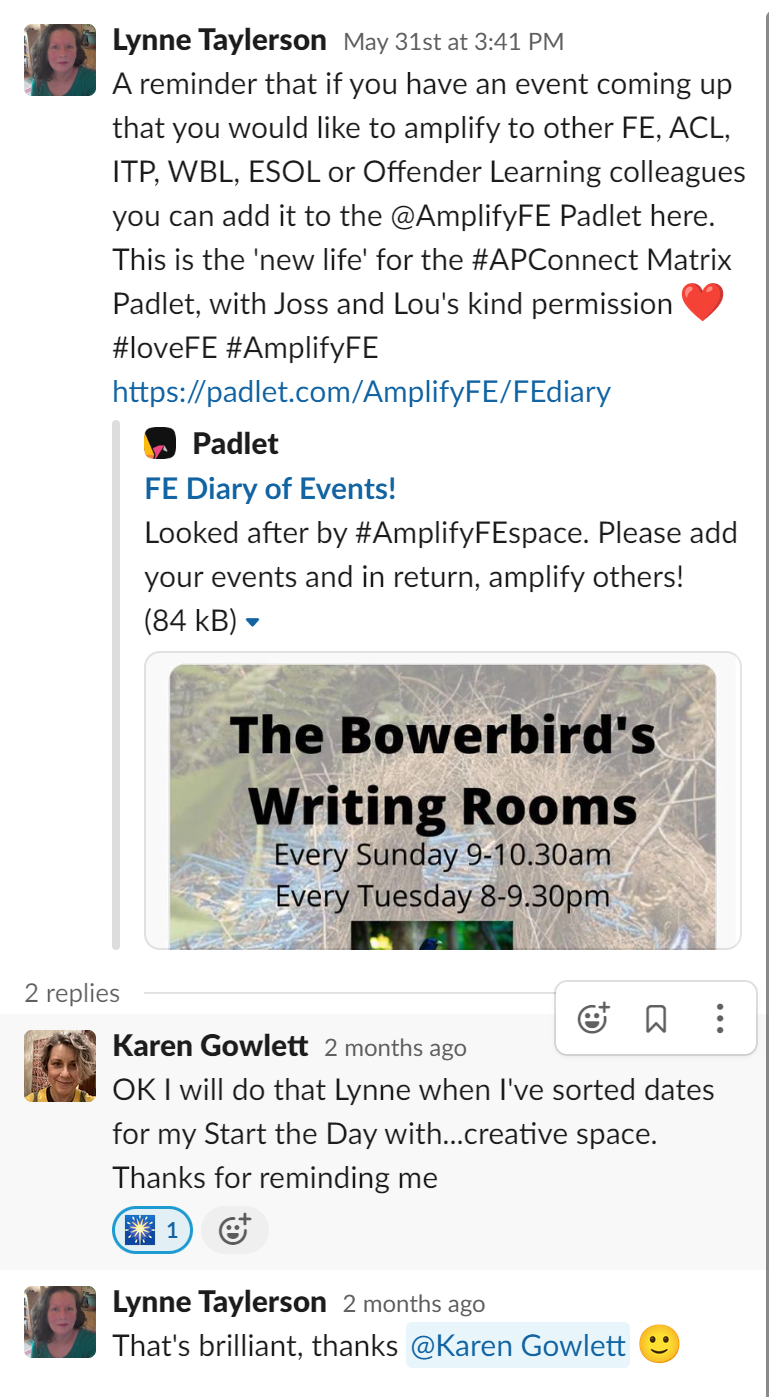
The modules were co-designed by Dr Lou Mycroft (pictured with me in the Video screengrab in galley image 3 below) and I using shared Google Docs and Slides and the delegates’ progress tracked and reported to project director, Joss Kang, using Google Sheets for easy sharing and collaboration. The course used Learndash for a resource repository and to host the videos used for online facilitation partnered with dedicated Slack channels for each module which allowed APs to ask questions, hold dialogues on their progress, support each other and also share research and resources appropriate to their roles.
The platform is only accessible to APs engaging with the programme so I have provided a series of screenshots here which show typical elements of it and the LMS data that I drew upon when using it. Images below show 2 screenshots of the final platform, 2 of the Learndash design space and 1 of the collaborative Slack space. You can also read my reflections on the impact and reach of APConnect in the blog I authored at the end of the 2021-22 cohort here.
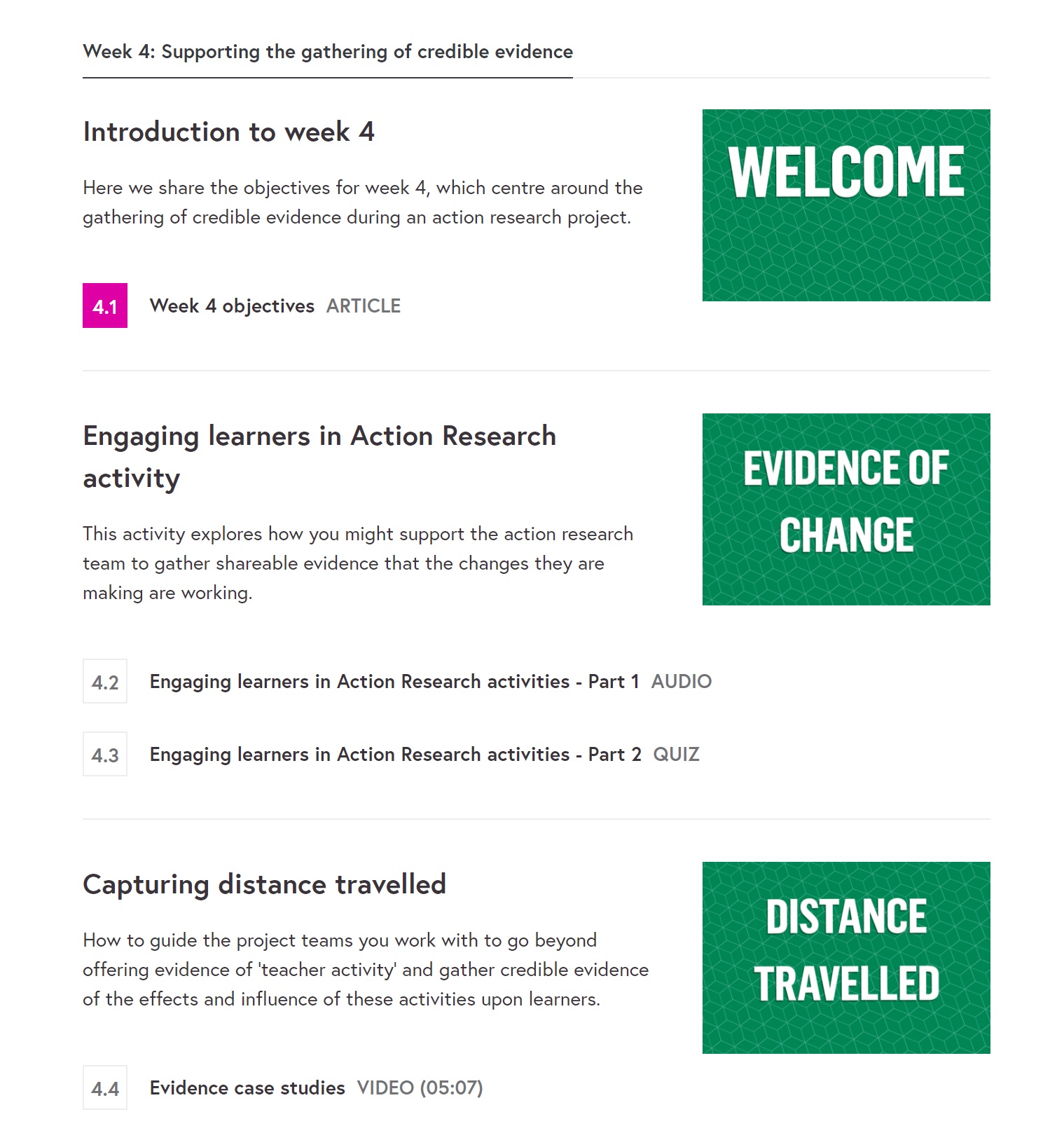
My work with the FutureLearn platform was a result of a collaboration with ccConsultancy which stemmed from the DfE/ETF OTLA programme and involved authoring, designing and coding two, six-week courses, one for new action researchers, the second for managers leading action research teams. The courses, which were launched in May 2022, took a popular ETF Action Research Guide and converted this into two interactive courses comprised of text, downloadable resources, audio and video segments, polls, and discussion forums.
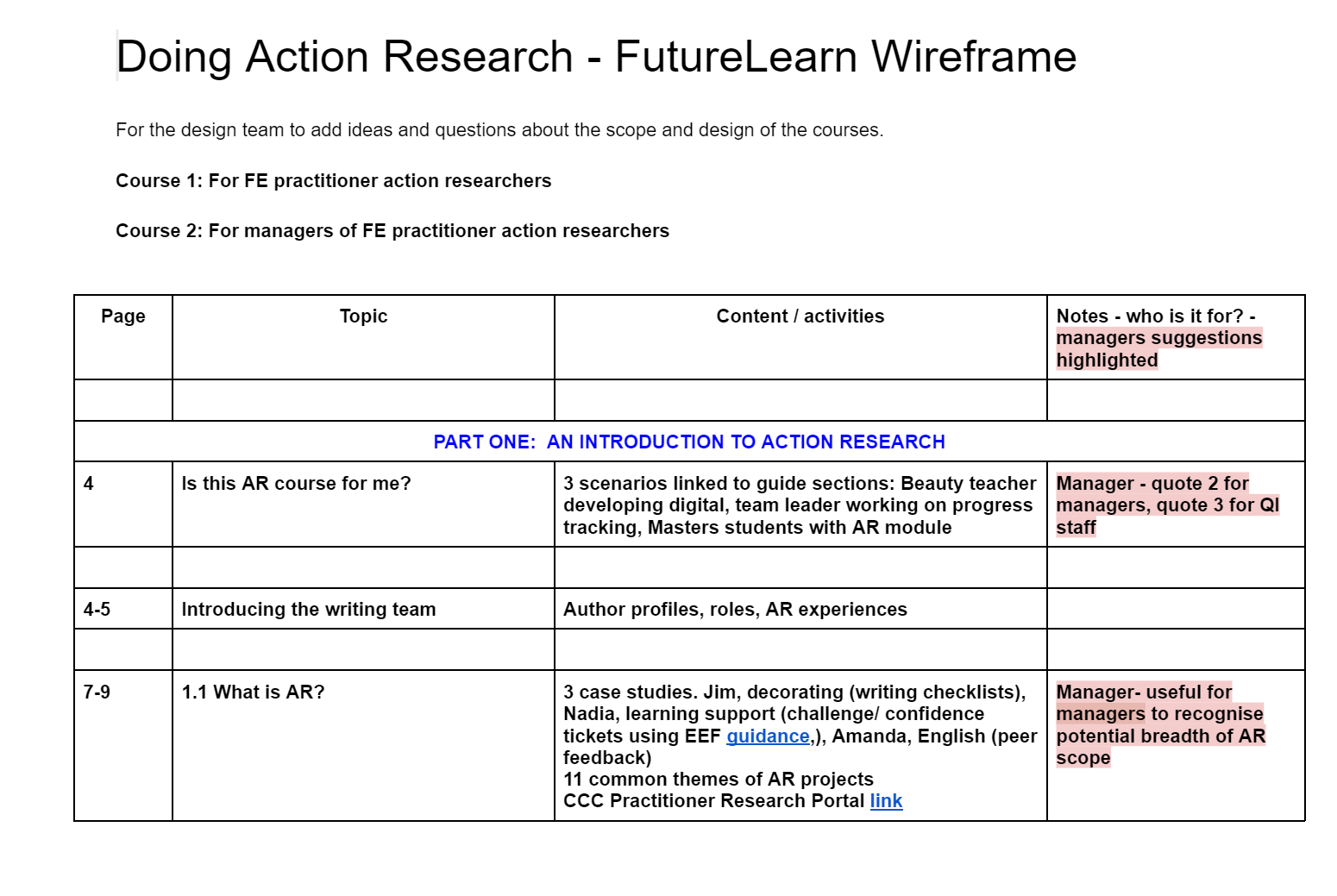
I created the course wireframe outlines from the Guide and then acted as Lead Writer, supervising a team of three learning designers and co-writing some of the module for leaders myself. The other part of my role involved creating the videos and animations embedded in the course. Animations were created from PowerPoint with transitions and narrations added using Screencast-omatic, videos were recorded live via Zoom, again using Screencast-omatic for capture.
The co-design process was managed via shared documents hosted on OneDrive, designing into shared PowerPoint presentations, with finished modules uploaded to a repository hosted on Box for approval by the clients, ETF. When these were completed and approved I was responsible for the coding of the leaders’ module onto the FutureLearn platform and supervisory editing of the researchers’ module.
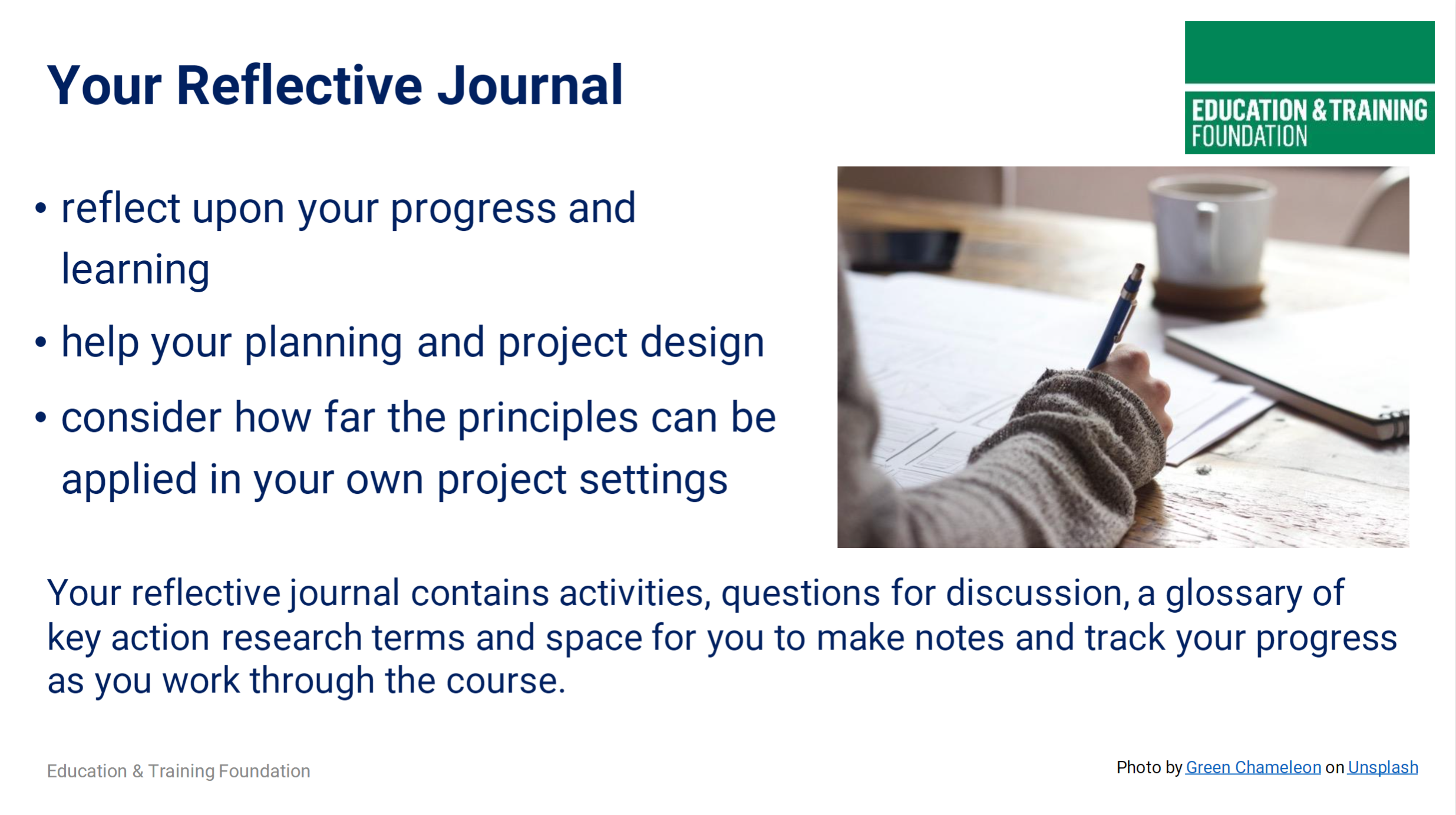
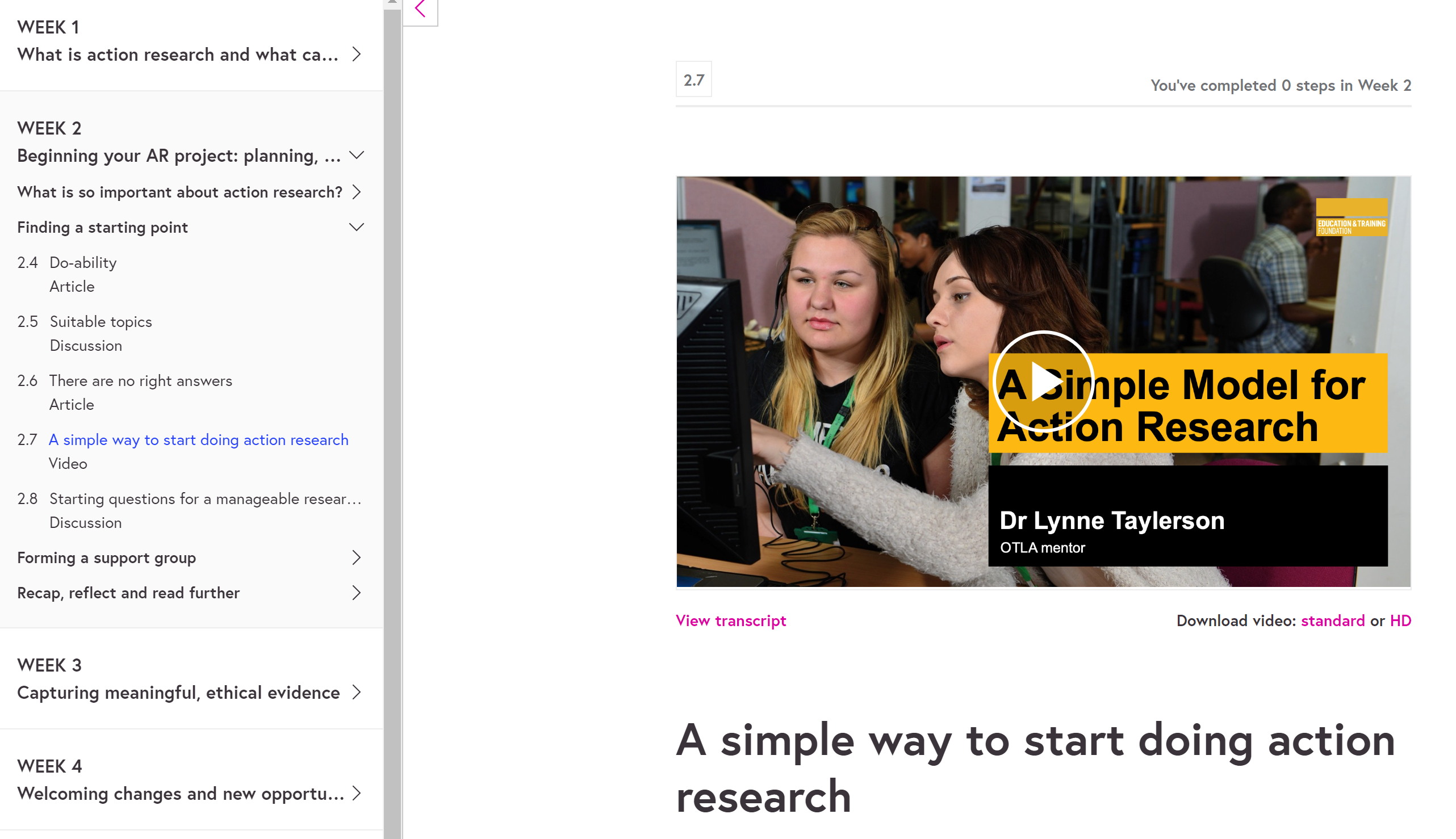
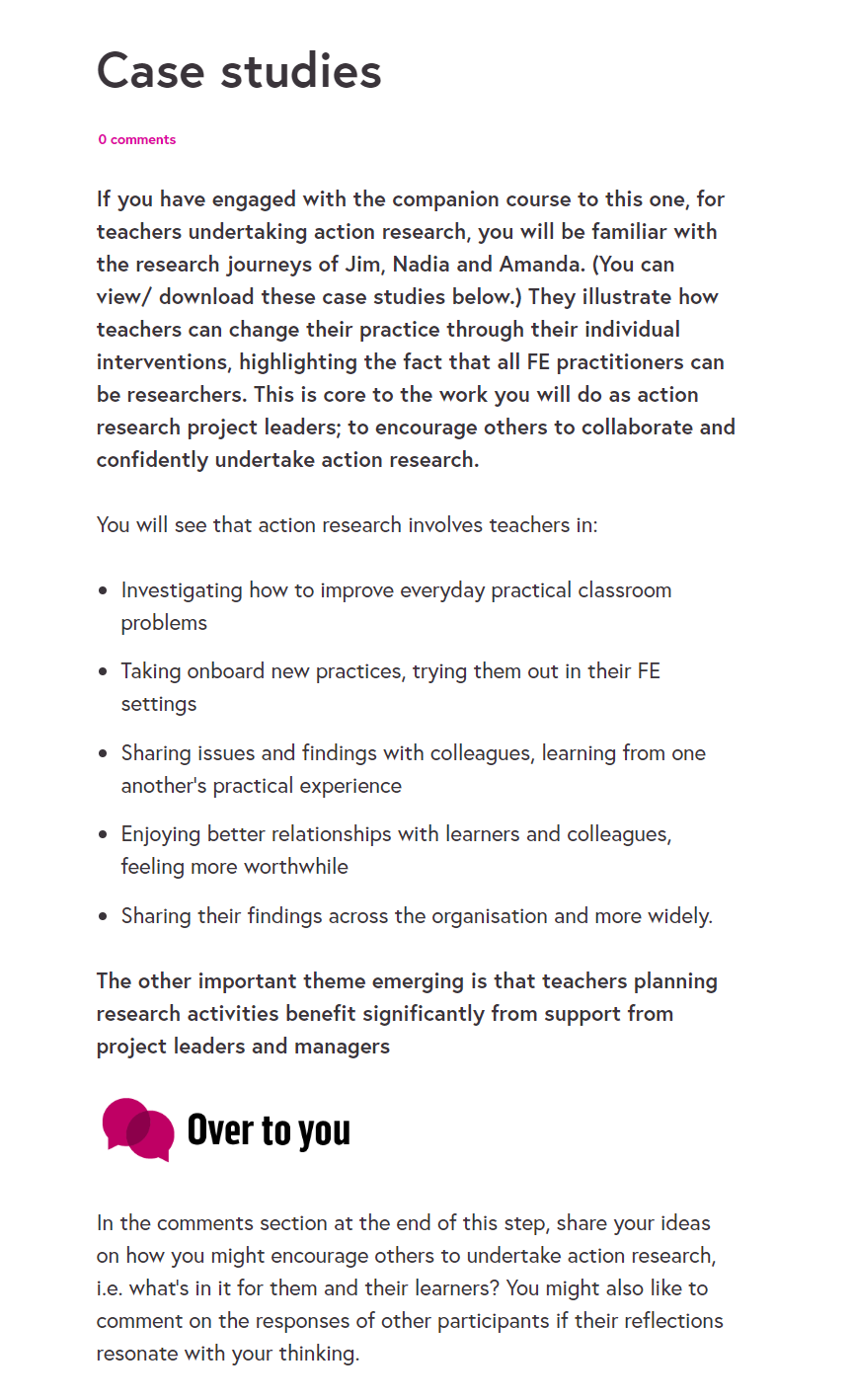
I have included screenshots from key elements of the course here for reference as there are only a limited number of live course runs each year, which require subscription for viewing. The first gallery shows the design stage, the second resources from the 2 live course runs:
Zoom and Online Learning and Assessment Tools
Since the pandemic moved FE learning online, the most common tool that I leverage is the Zoom platform. Since 2020 I have designed learning programmes for DfE and ETF (through ccConsultancy) facilitated entirely on this platform, augmented by a range of free active online learning tools.
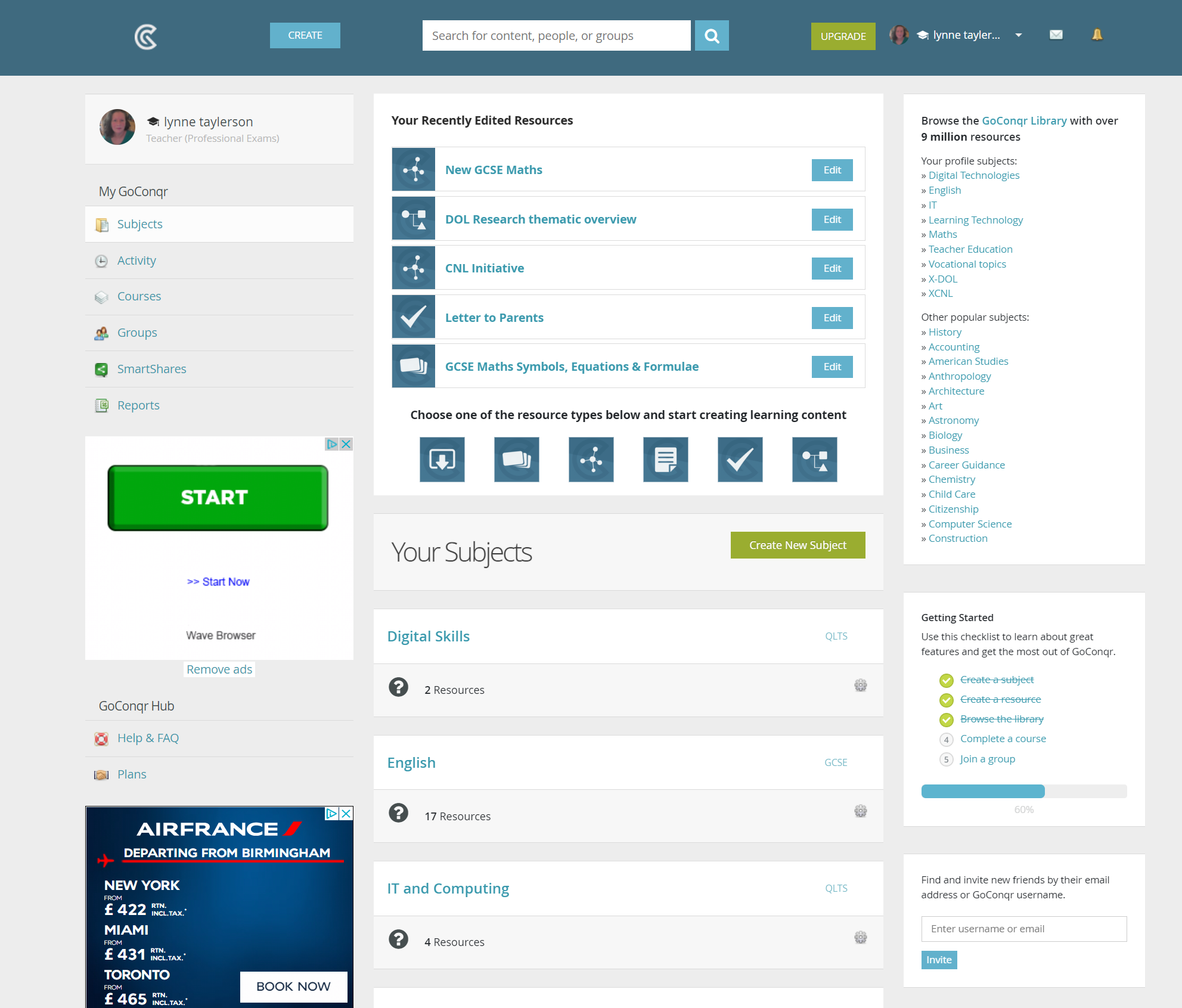
For ETF’s Shaping Success programme, I co-designed the two-day course ‘Maths and English Digital Pedagogies’ with Claire Collins. Collaboration with Claire led me to experiment with several digital tools new to me including EdPuzzle and GoConqr, new knowledge which I have now been able to cascade to initial teacher education groups.
The webinars empowered FE teachers working with learners on GCSE resits to facilitate effective, active online learning using grounded pedagogies underpinned by the SAMR model (Puentedura, 2006). Sessions were specifically designed to model collaborative learning features such as chat, the shared whiteboard, use of breakout rooms and screen sharing of a range of free online active learning and assessment tools. As well as demonstrating how Zoom could be used for active, collaborative learning I also designed and showcased contextualised examples from:
- Mentimeter – for formative assessment and delegate feedback
- Powtoon – for animated ‘explainer’ cartoons
- ThingLink – for image visualisations with embedded hotspots
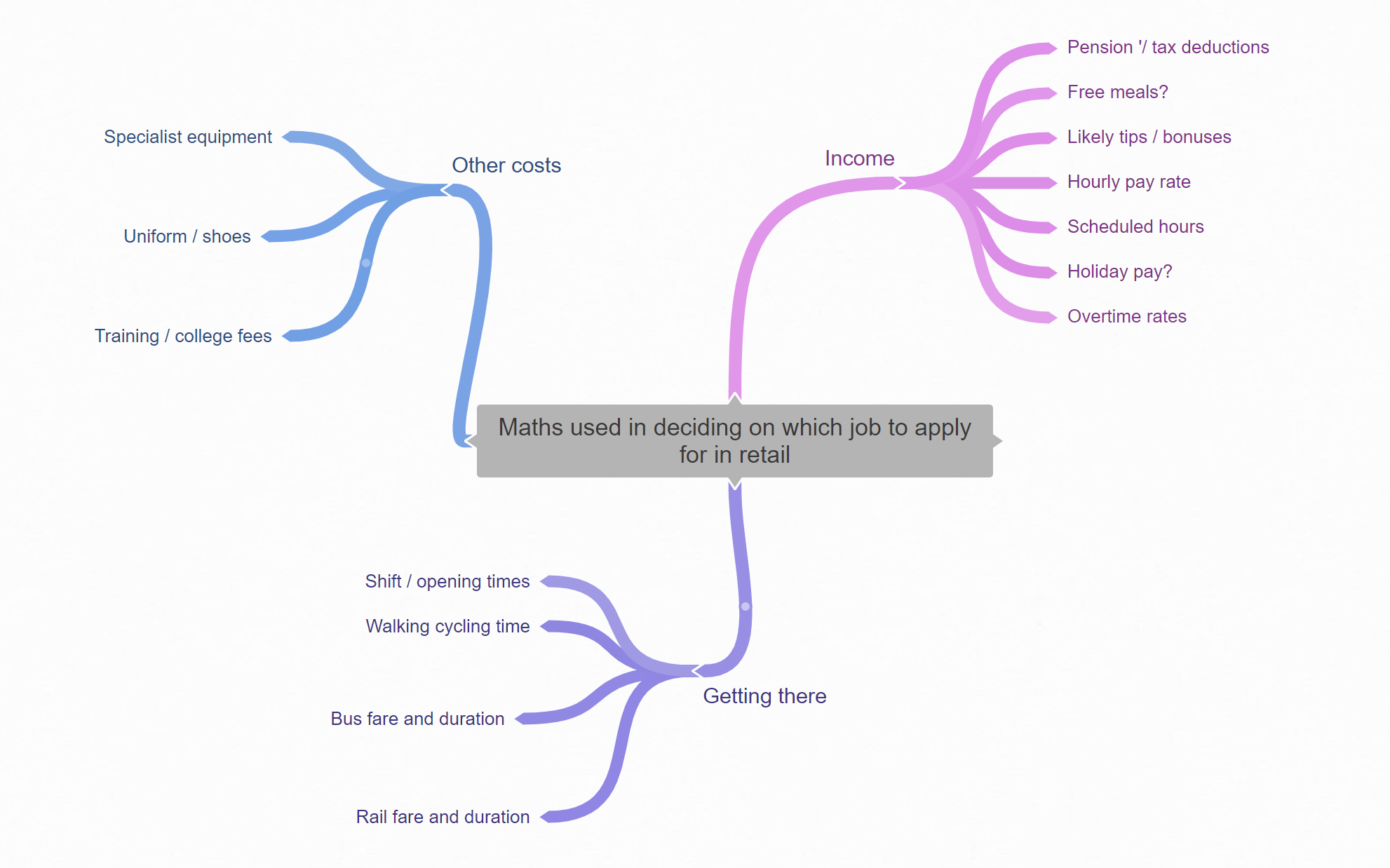
- Coggle – for mind maps
- GoConqr – for quizzing
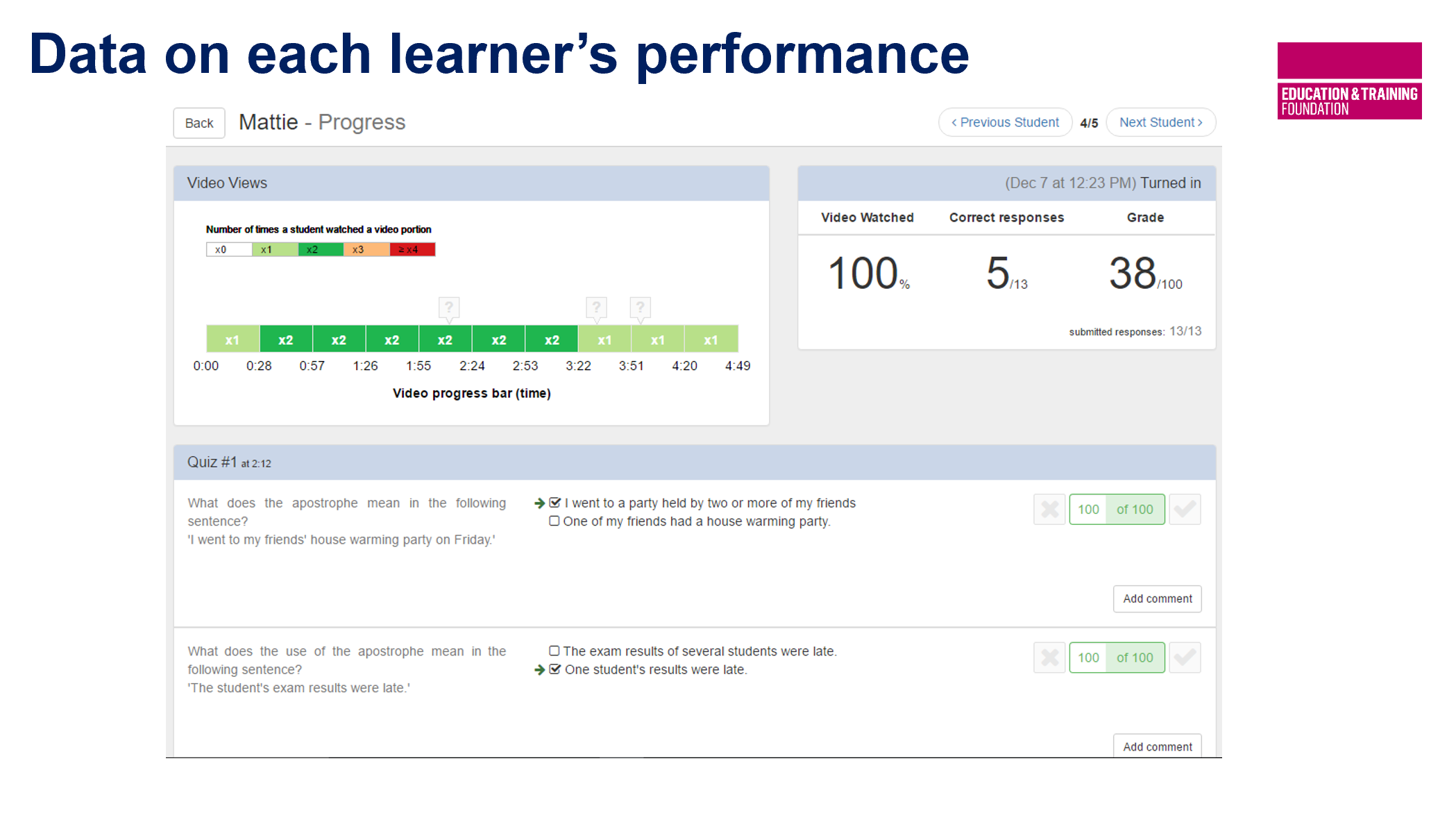
- EdPuzzle – for YouTube videos with embedded questions with learner progress tracking
The 2 courses were supported between sessions with a live Padlet board which allowed delegates to comment on their experiences with experimenting with digital learning tools and share examples of resources they created as a result of participating in the course.
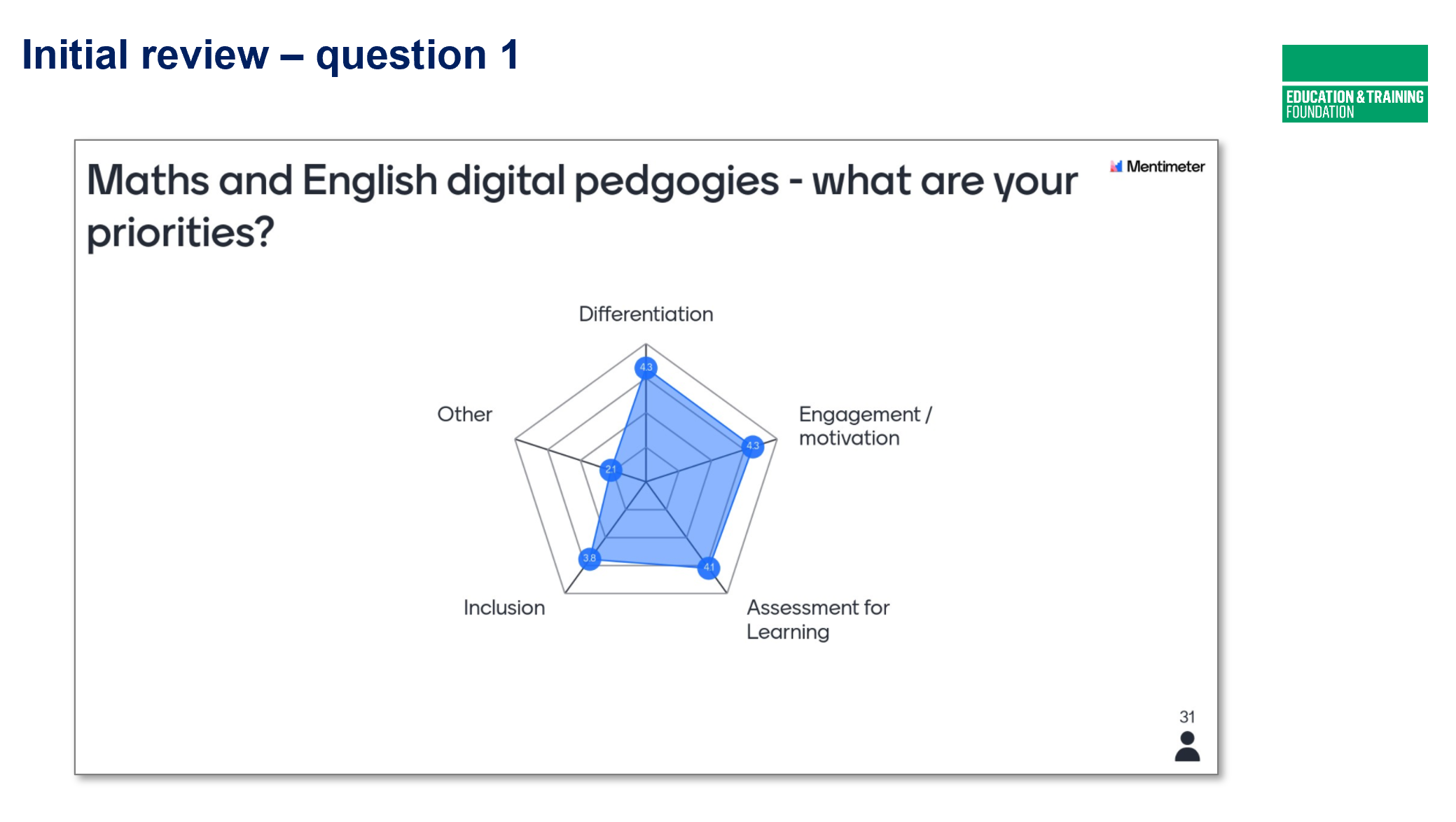
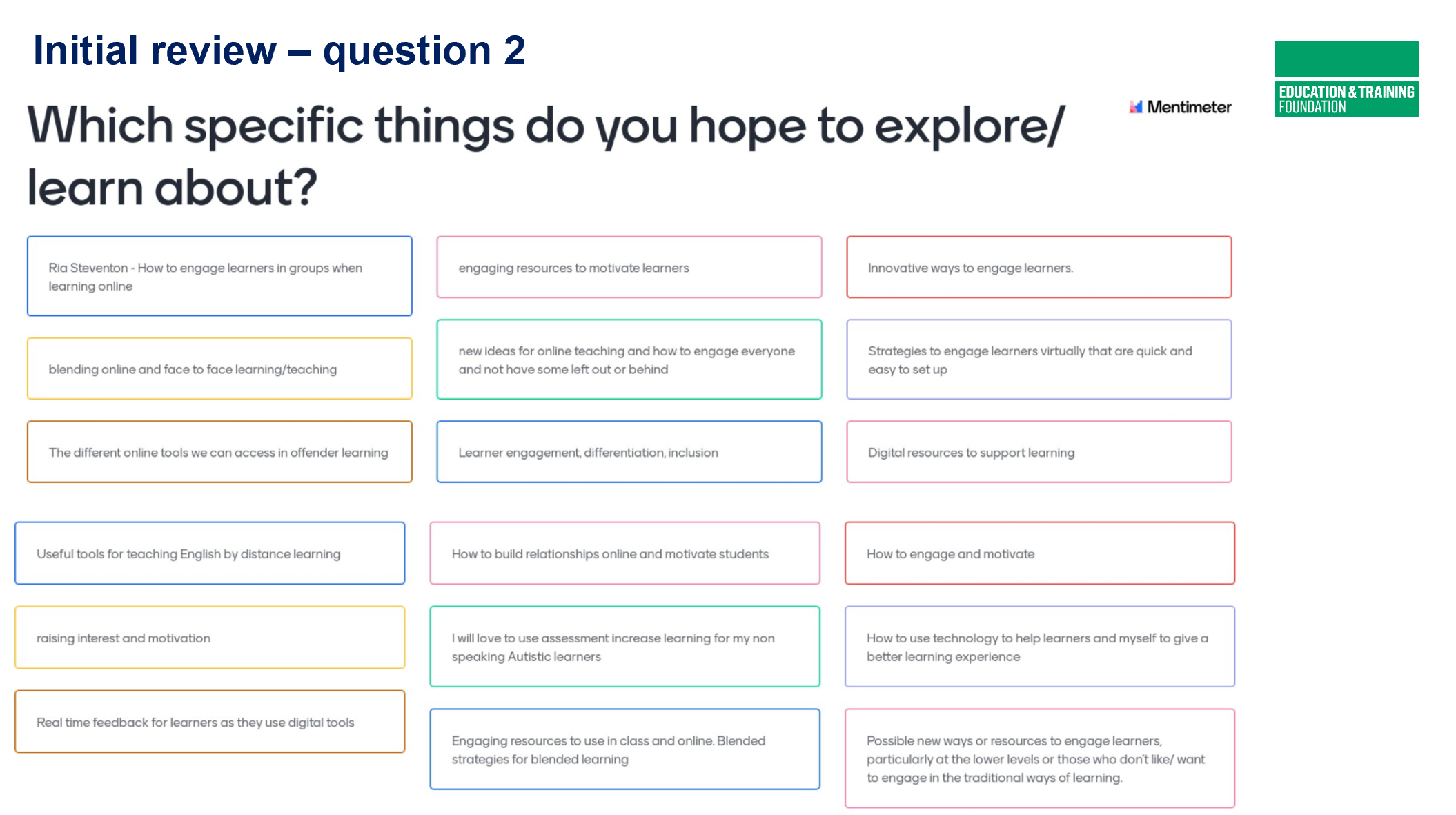
The images below show examples of a range of the digital assets used during the course including Mentimeter, Goconqr, Coggle and EdPuzzle.
Reflection:
One of the things that I found most valuable about compiling my CMALT portfolio – and find equally worthwhile in this SCMALT curation process – is the opportunity to sit back and reflect on the breadth and depth of technologies that I use.
As a teacher educator, I have to select, or reach consensus, on choice of technologies which work for me and the teams I work with. Ever-present challenges or obstacles to technology uptake in FE are the tight budget constraints teams work under and the ‘time poor’ nature of teachers’ busy lives. When choosing tools to model to educators, I need to consider which options are most feasible, appropriate and accessible for FE teachers and then learners using them, who are often working on a low or ‘no budget’ basis. It’s also important to bear in mind the longevity and lifecycle of each tool, especially if it is new to the market. Will the tool still be still accessible in a few years’ time, will it become an unaffordable premium service, will users be able to easily export assets to other platforms for future use? For this reason Open tools and platforms and an awareness of them is an important aspect to raise.
I find Puentedura’s SAMR model particularly valuable as it allows me to ask myself – and encourage new teachers to ask themselves – if digital tools are simply a substitute for something that we are already doing without added value:
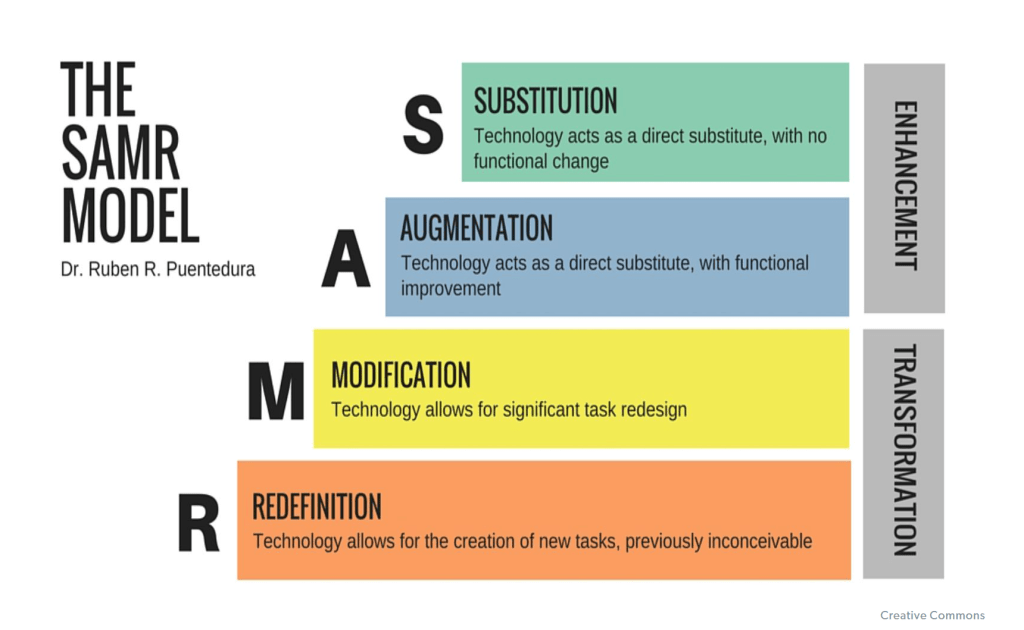
Given overheads of time and effort required to master new technologies, I argue that simply substituting technologies is only feasible in terms of effort and stress if there are clear cost or access benefits, improved accessibility for existing users, or the ability to reach new learner constituencies. I always look for technologies that allow me to make positive adaptations or modifications or strategies which might even revolutionise the way that we work. I encourage teachers to adopt the same critical process. That said, simple substitution of digital methods is justified if these make learning more accessible and flexible, in my view, so the model should not be used (as it often is!) as a hierarchy with redefinition being considered superior to substitution.
One thing is clear: there is no fixed, ‘magic bullet’ set of digital tools which achieve all of my aims and those of the FE teachers that I work with. We have to compromise, choosing tools whose features are the best fit for our needs and budgets, then be creative and modify their use to suit those needs. I find myself working with stable set suites of tools for example Zoom together with Padlet and Mentimeter for facilitation, or assets from the Google Suite together with OneDrive and Box for collaborative creation work. When modelling tools in the sector, I may have to master ones I would not usually use if they are ‘industry standard’ in the sector or organisation I work with, rather than seeking to impose my accustomed practices on others.
One thing I impress on teachers adopting learning technology is that we should look for similarities in aspects of interface and operation. What can we notice about commonalities in the way that different elements of the Office suite or Google suite work between the different applications? Getting ‘under the skin’ of applications, thinking how their designers intend the user should employ them makes us digitally confident operators more able to master new tools more quickly and easily with an all-important ‘can do’ attitude.
Technology-adopting teachers need to be aware of ‘which button to click and where it ’ but should also aim to get a clear idea of the overall flow of sets of tools, shared icons and menus and look for general rules that can be applied across them all. We need to build critical digital users able to appraise, select – or reject – options from the bewildering array of tools open to them by asking ‘what is the value here for me and learners I work with?’
I think that providing a thorough grounding in critical digital literacies, both for vocational learners and teacher-learners, is an important part of my role as a digital specialist and an area where I need to keep my knowledge current and evolving.
References:
Puentedura, R. P. (2006) Transformation, Technology, and Education.
[online] Available from: http://hippasus.com/resources/tte/. Accessed on 13/08/2022.
Return to SCMALT portfolio main page
 Lynne Taylerson SCMALT Portfolio